
Every absence notification and follow-up action in one clear place.
Record sick and recovery notifications, keep track of open actions and give HR and team leads the overview they need. Without medical records.
100 employees: €149 per month, excl. VAT. See all pricing
What Absentra gives you every day
Every notification in one place
Sick and recovery notifications, contact moments and agreements sit together per case, instead of spread across email and spreadsheets.
No follow-up action left behind
Absentra creates follow-up tasks automatically. You see right away what is open and what is overdue.
An overview for HR and team leads
HR works in all cases; an assigned team lead sees their own cases and updates their own tasks.
Insight without manual work
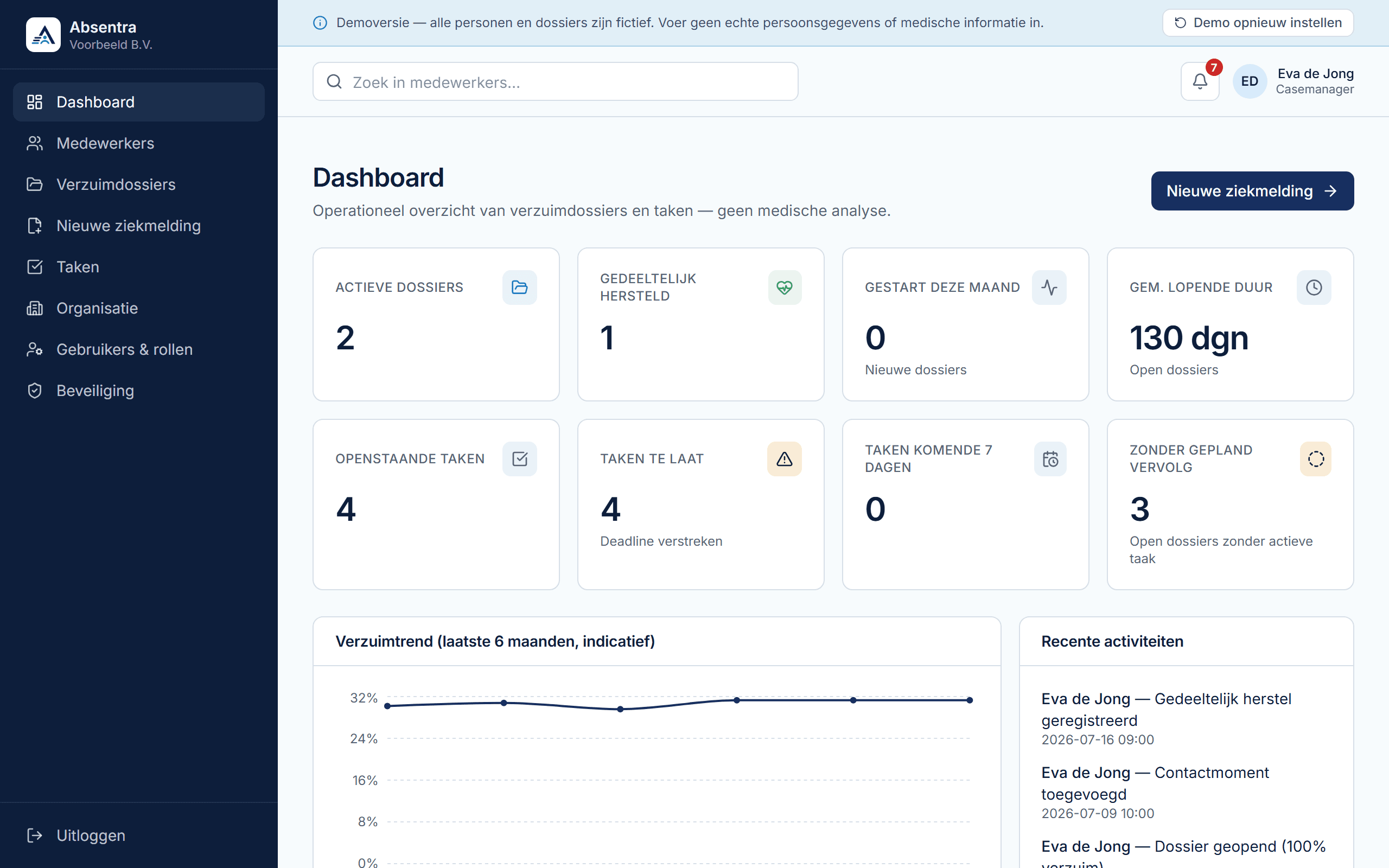
The dashboard shows active cases, tasks and an indicative absence trend, without anyone having to maintain an overview.
The product at a glance
Screens from the public demo. All people and cases are fictitious.
Know what needs attention
See open cases, pending tasks and overdue work on one dashboard, so you know what needs follow-up.
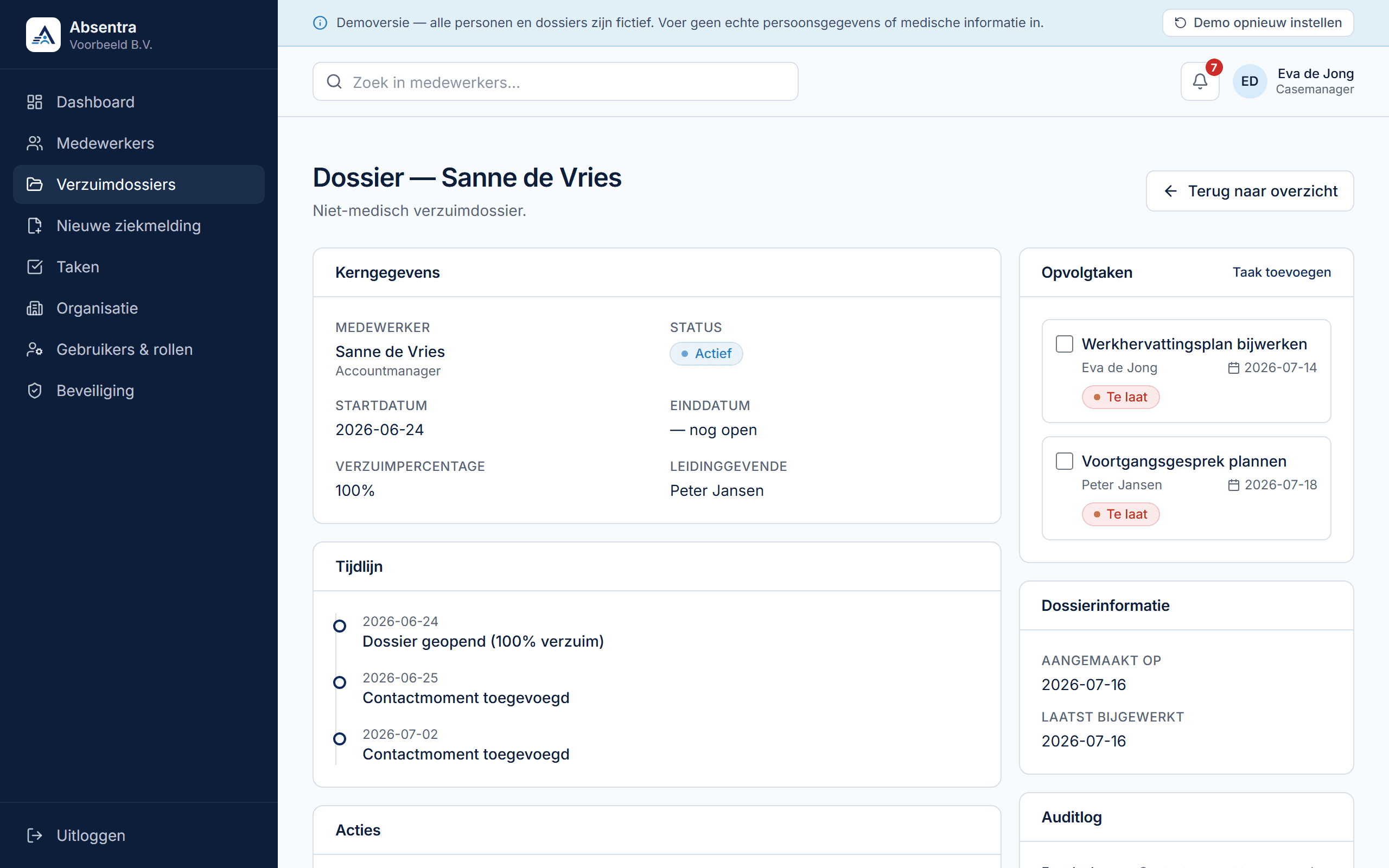
Keep every administrative step together
Find each notification, assigned team lead, contact moment and follow-up task in one case. Without medical input fields.
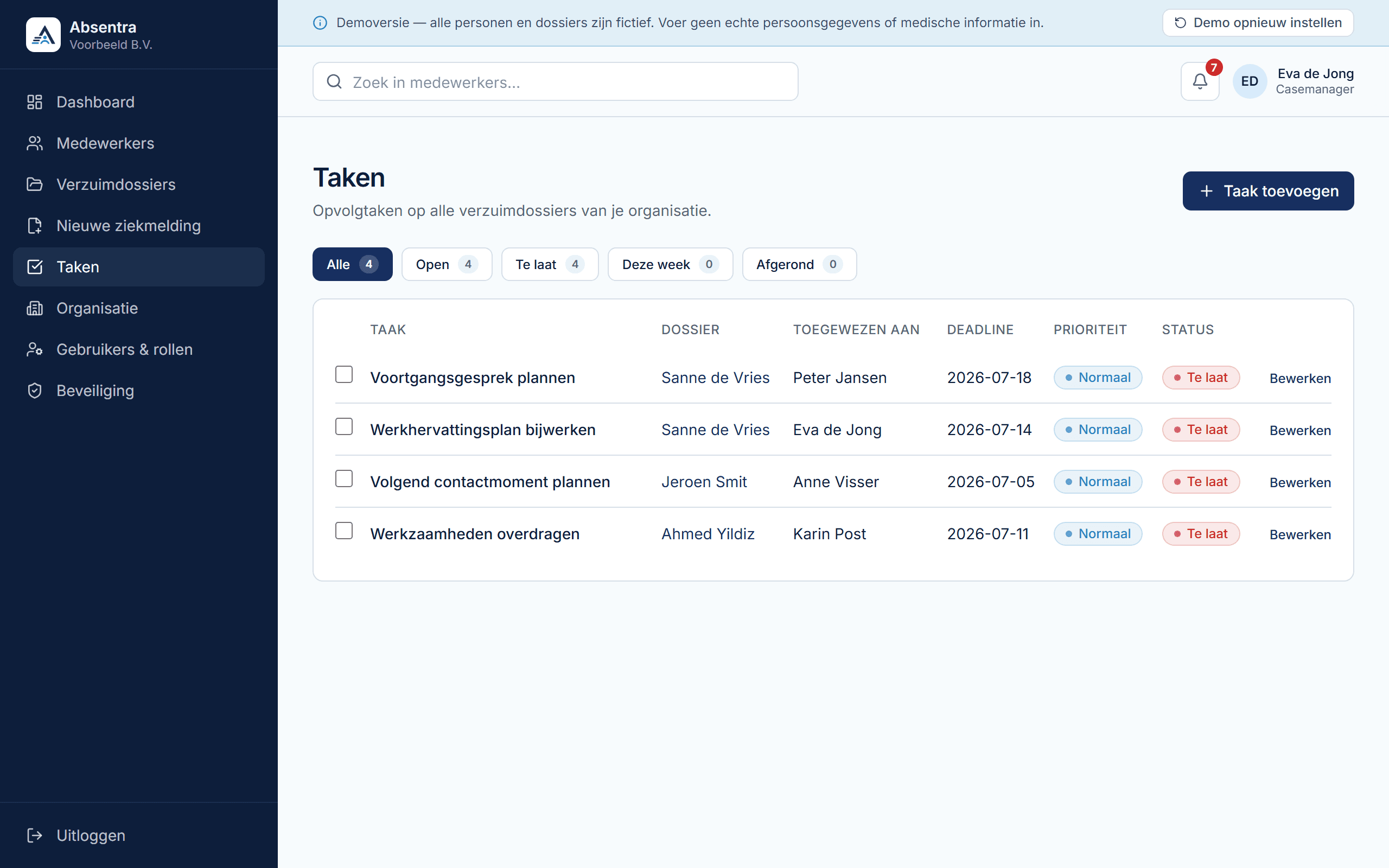
See who owns each task
See the assignee, deadline and status of every follow-up task. Useful when HR and team leads hand work over.
Example, not a customer case
How it works at a logistics company
A fictitious logistics company with 120 employees in Warehouse, Transport and Office. Each department has its own team lead; HR keeps the overview.
- 1
On Monday morning, a warehouse employee calls in sick with their team lead. HR records the sick leave and assigns the warehouse team lead to the case.
- 2
Absentra creates follow-up tasks automatically. HR adds a task for the team lead: get in touch about covering the work.
- 3
The team lead sees the case and marks their own task as done. Contact moments and practical agreements are in the case, without medical content.
- 4
After two weeks the employee works half days again. HR records partial recovery with a new percentage.
- 5
On full recovery, HR enters the end date and closes the case. Tasks that were still open are cancelled at that point.
- 6
On the dashboard, HR sees which cases in the other departments are still open and which tasks are overdue.
Clear pricing
You pay per organisation and per active employee, not per user account. All amounts exclude VAT. Paying annually in advance gives 10% off.
Free
Free
Up to 5 active employees and 1 user account.
Standard
€49 per month + €1 per active employee
Up to 500 active employees and 25 user accounts. 100 employees: €149 per month, excl. VAT.
Enterprise
On request
For more than 500 active employees, more than 25 user accounts or additional requirements.
How to get started, and who is behind Absentra
- 1
Request access
Fill in the short form with your name, organisation and number of employees. We review every request ourselves.
- 2
Set up your organisation
After approval you receive an invitation and create your environment. You add employees or import them from CSV and set up users and roles.
- 3
Try for 30 days, then decide
The 30 days run from activation of your organisation environment. Afterwards you choose how to continue. Paid use only starts with your explicit agreement.
Who is behind it
Absentra was founded by Auke van Slooten. He researches how Dutch employers organise their absence administration and builds Absentra on that basis: clear, non-medical absence registration and follow-up.
Contact: contact@absentra.nl
Requests, support and security
Requests arrive at our contact address and are reviewed personally. Support is provided by email. Absentra has no fields for diagnoses or symptoms, and works with fixed roles, two-step verification and an audit log per case.
Frequently asked questions
Absentra is a Dutch B2B application for administrative absence registration. You record sick and recovery notifications and keep the follow-up on track. The dashboard shows where things stand. There are no fields for diagnoses, symptoms, treatments or causes of illness.
Free costs nothing for up to 5 active employees and 1 user account. Standard costs €49 per month + €1 per active employee, excluding VAT, up to 500 active employees. Enterprise is on request. The full overview is on the pricing page.
Yes. You can try Standard free for 30 days once, for both the monthly and the annual option. After your request is approved you receive an invitation; the trial begins when your organisation environment is activated. We do not ask for payment details up front, and the paid term only starts when you explicitly choose to continue on a paid basis after the trial.
Diagnoses, symptoms, treatments, medical notes and causes of illness do not belong in Absentra. There are deliberately no fields for them.
Yes, you can import employees from a CSV file, separated by commas or semicolons. Employees who already exist are skipped, not updated. Excel files and automatic synchronisation with an HR or payroll system are not available; we are still researching those integrations.
Try Absentra for 30 days
View the demo with fictitious data first, or request access right away. You do not provide payment details up front.
Access after review